The Secret Underwater World of the Internet
By Jambo Team
Published on 15 May 2026
Why Kumbuka Doesn't Need internet sometimes?
When you send a text, stream a movie, or upload a photo to "the cloud," where exactly does that data go?
Because we live in an era of Wi-Fi, 5G, and wireless everything, it is easy to imagine the internet as an invisible, magical force floating in the air around us. But the reality is much more physical, a little bit messier, and infinitely more fascinating.
Believe it or not, the internet isn't in the sky. It is sitting at the bottom of the ocean.
The Submarine Backbone of the World
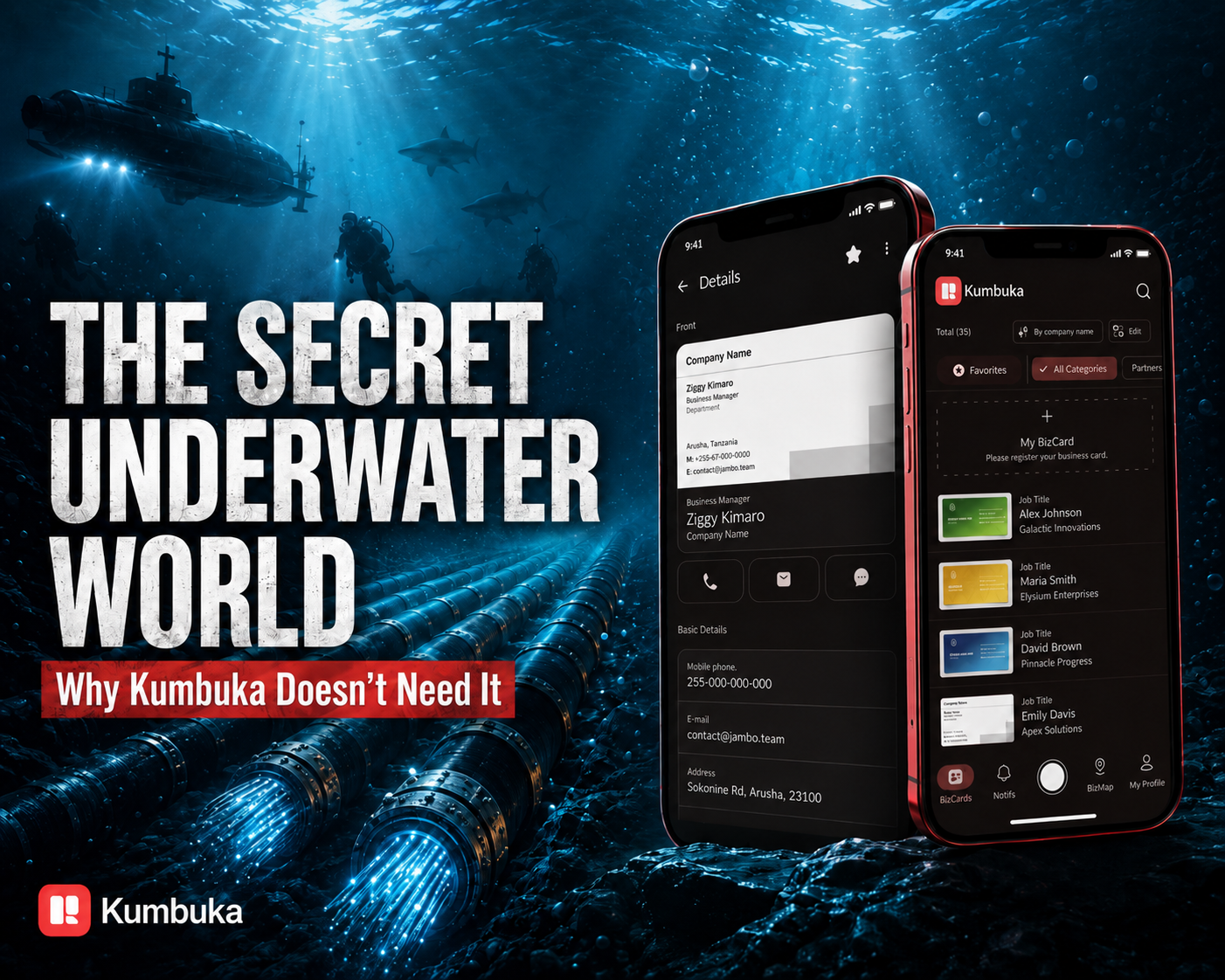
If you want to send an email from New York to London, or a WhatsApp message from Arusha to Tokyo, that data doesn't bounce off a satellite in space. Instead, over 99% of all international data traffic travels through a massive, global network of submarine cables resting on the ocean floor.
If you were to lay them all end-to-end, they could wrap around the Earth more than thirty times. Inside these garden-hose-sized cables are "fiber-optic" threads—tiny tubes of glass no thicker than a human hair. Your emails, videos, and texts are converted into flashes of laser light that bounce down these glass tubes at nearly the speed of light.
What Threatens the Internet?
Because the internet is a physical object sitting in the ocean, it has to deal with physical, real-world problems. Satellites worry about space debris; submarine cables worry about boats.
The biggest threat to global internet connectivity isn't hackers or cyber warfare—it is ship anchors, fishing nets, and natural disasters. A boat accidentally dropping an anchor in the wrong place can snag a cable and cut off internet access to an entire country. (Fun fact: In the past, sharks actually used to bite submarine cables, attracted to the electromagnetic fields of older tech!)
It is easy to take the internet for granted when it feels like magic. But understanding that the internet is a physical thing changes how we view it. It requires massive ships, brave deep-sea divers, billions of dollars, and constant maintenance to keep our world connected.
The Trigger: What Happens When the Ocean is Out of Reach?
Appreciating the internet's physical journey is one thing, but relying on it 100% of the time is another.
While building Kumbuka, our digital business card app, we hit a realization: networking happens in the physical world, and the physical world often lacks reliable access to those underwater cables.
Think about the places where you meet the most important professional connections: the basement halls of crowded conference centers, concrete exhibition floors, or even in airplane cabins. These are notorious "dead zones." If Kumbuka relied solely on the cloud to exchange business cards, our users would be left awkwardly staring at loading screens just when they needed to make a seamless first impression.
We realized that to build a truly reliable networking tool, we couldn't just rely on the global internet. We had to build our own localized, invisible network.
Understanding the Problem: Cutting the Cord
We needed a way for two phones to securely handshake and pass digital business cards to each other entirely offline.
We turned to Bluetooth Low Energy (BLE). Instead of sending your contact information thousands of miles to a server farm and back, what if your phone could just whisper it directly to the phone standing two feet away?
To make this work, we had to turn our users' phones into temporary broadcast towers. Using a specialized BLE peripheral framework, we engineered Kumbuka so that when you want to share a card, your phone acts as a "GATT server." It essentially raises a digital flag saying, "I am here, and I have a card to share," allowing a nearby phone to securely fetch the data without a single byte crossing the ocean.
Design Exploration: Making Bluetooth Feel Magical
While the engineering behind offline Bluetooth transfer is complex, the user experience couldn't be. Bluetooth has a historically clunky reputation—think of the early days of struggling to pair wireless headphones. We didn't want our users to feel like they were managing network settings.
We asked ourselves: How do we make offline sharing feel like magic?
Our design and engineering teams worked closely to craft a visual and tactile experience that mirrored the invisible technology. We built a custom Radar Pulse animation. When you tap to share your Kumbuka card, your avatar enters the center of the screen, and soft, coral-colored radar waves ripple outward.
To bridge the gap between the digital and physical worlds, we added subtle haptic feedback. Every second the radar pulses, the phone gives a gentle physical "tick." It assures the user that the app is actively reaching out into the room.
Engineering Challenges: The Permission Hurdle
The biggest challenge wasn't actually moving the data; it was getting permission to do so.
Modern operating systems are highly protective of Bluetooth and Location data (and rightly so!). On Android, scanning for nearby Bluetooth devices historically requires asking the user for "Location" access.
We knew this would be a jarring experience. Why would a digital business card app need to know your GPS location? If we just popped up a sterile system dialog asking for Location tracking, users would deny it immediately.
We solved this through empathetic UX design. Before we ever trigger the system permission prompts, we designed custom, friendly explanation dialogs inside the Kumbuka app. If Bluetooth is off, or if a permission is missing, we gently pause the radar animation and explain why we need it: "Kumbuka needs Bluetooth permission to discover nearby devices and share business cards." We guide the user hand-in-hand through the OS settings, turning a confusing technical blocker into a moment of transparency and trust.
The Final Implementation: The Drop
When a nearby device is found, the experience is seamless. The radar clears, and the user's phone displays the nearby connection. A tap initiates the transfer.
Because we wanted the moment of receiving a card to feel substantial, we engineered what we call the Aurora Fusion Loader—a fluid visual state that transitions into a physical-feeling "Flip Card." When the offline data transfer completes, the new contact's business card drops onto the screen. It looks and behaves like a heavy piece of premium cardstock, complete with a "Tap to flip" hint that reveals their contact details on the back.
Lessons Learned: Designing for the Real World
Building Kumbuka’s proximity sharing taught us that we can't always rely on the miraculous underwater cables that connect our world.
Sometimes, the most impressive technology is the kind that works when everything else fails. By embracing offline capabilities, respecting user privacy through transparent permission flows, and wrapping complex Bluetooth protocols in a warm, tactile design, we made exchanging contact info feel less like a data transfer and more like a handshake.
The next time you share your Kumbuka card in a crowded, Wi-Fi-less conference hall, take a second to appreciate the journey that data took. It didn't bounce through a satellite, and it didn't race across the bottom of the sea. It just traveled through the air, directly from you to them.
More Stories

Company
8 Jun 2026
How We Upgraded PBZ Bank’s Networking Game with Kumbuka!

Company
15 Mar 2023