
Mobile app + web dashboard
Kumbuka turns every meeting into a remembered relationship.
Scan business cards, build your own digital profile, remember where you met, prepare before meetings, share nearby, and move high-value contacts into team follow-up. Kumbuka is the networking layer for people who cannot afford to lose context.

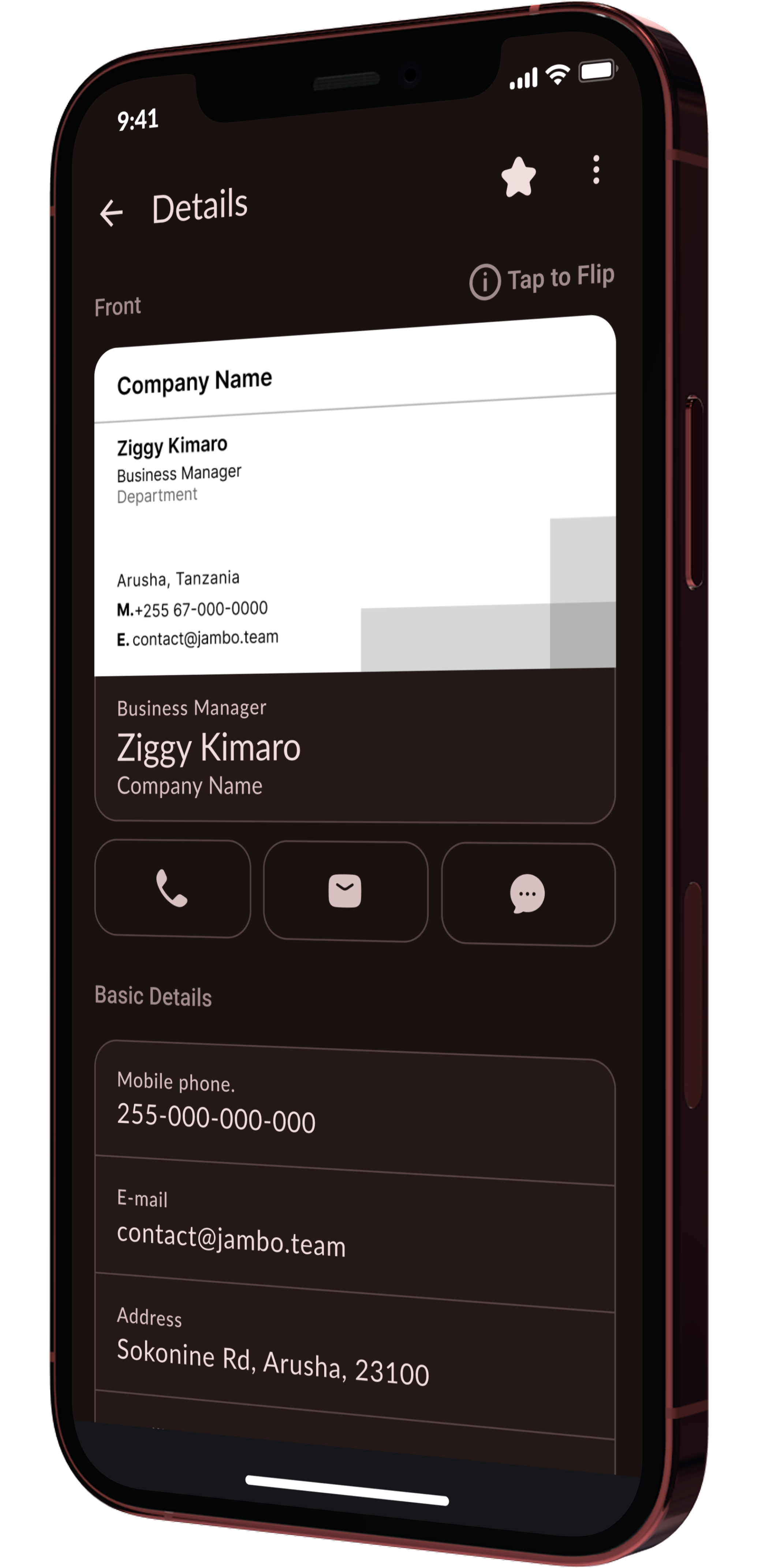
AI extraction
Live card sync
1s
scan flow
Designed for fast capture at events and meetings.
Web
dashboard
Manage cards, maps, imports, sales, and My Card from desktop.
Offline
first
Local storage keeps capture useful even without a connection.
Team
ready
Promote selected contacts into shared sales workspaces.
What Kumbuka does
A complete relationship memory system, not just a scanner.
Kumbuka connects the first moment you meet someone with everything that should happen after: clean data, context, reminders, sharing, preparation, and team follow-through.
Scan, import, or type a card
Capture physical cards with OCR, add contacts manually, bulk scan a stack, or import from Google Contacts and files on web.
Create your own digital card
Build a My Card profile with templates, logo, colors, QR, vCard, PNG export, public image controls, and HostLink sharing.
Remember the context
Attach where you met, map contacts by location, review missing addresses, group by company, and keep private notes.
Prepare before meetings
Meeting Briefs match calendar attendees to your local card library, then generate privacy-aware prep and close-loop follow-ups.
Share cards nearby
Use QR, live cards, proximity sharing, Meeting Mode, and Spaces to exchange cards in rooms, events, and group settings.
Turn contacts into team work
Sales Workspace adds team libraries, owners, next actions, leads, accounts, exports, API keys, and activity history.
Product surfaces
One product across phone, web, meetings, events, and teams.
The mobile app handles the moment of exchange. The web app turns the library into a workspace. The team layer makes relationships accountable.
Mobile app
Scan cards, build My Card, share nearby, use Meeting Mode, manage BizMap, and receive follow-up reminders on iOS and Android.
Kumbuka Web
Desktop dashboard for cards, imports, duplicate review, QR sharing, BizMap, notifications, My Card, email signature, and sales.
Sales Workspace
Shared team library for relationship ownership, lead follow-up, accounts, work items, exports, and external API access.
Jambo ecosystem
HostLink integration lets a Kumbuka card become a public profile and keeps selected card history in sync.
How it works
From first scan to next best action.
The product is built around a simple operating loop: capture the person, preserve the context, then make the relationship actionable.
01
Capture
Scan a card, import a file, pull Google Contacts, or enter details manually.
02
Review
Kumbuka highlights duplicates, missing fields, OCR confidence, categories, and map readiness.
03
Remember
Save notes, where-you-met context, favorites, company groups, and relationship signals.
04
Act
Schedule follow-ups, prepare for meetings, open maps, contact people, or share your profile.
05
Grow
Push selected contacts into team sales workflows with owner, account, and next-action data.
Screens
Key Kumbuka workflows across mobile and web.
Each screen shows how capture, memory, sharing, meeting prep, and team follow-up fit into one relationship system.
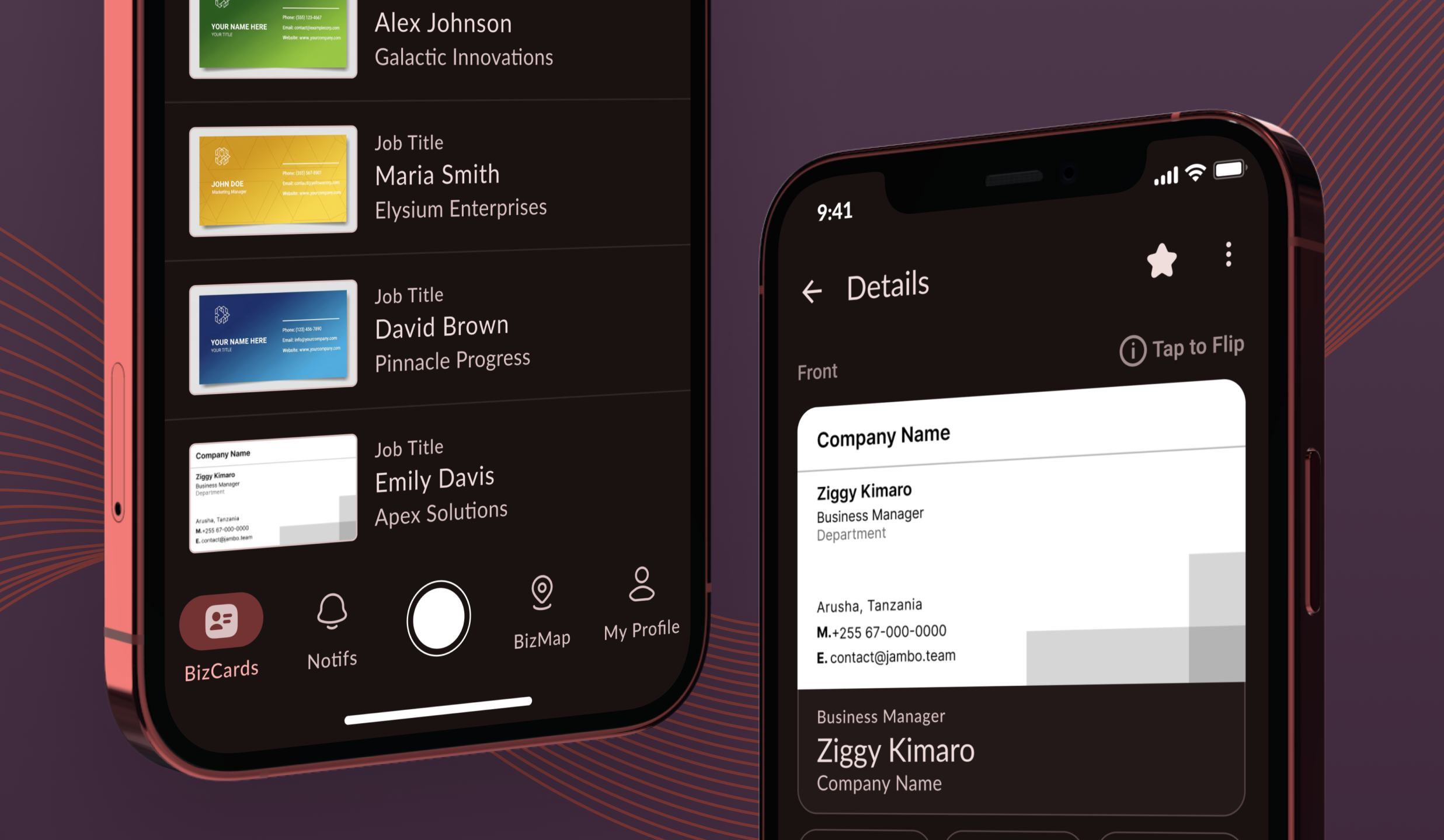
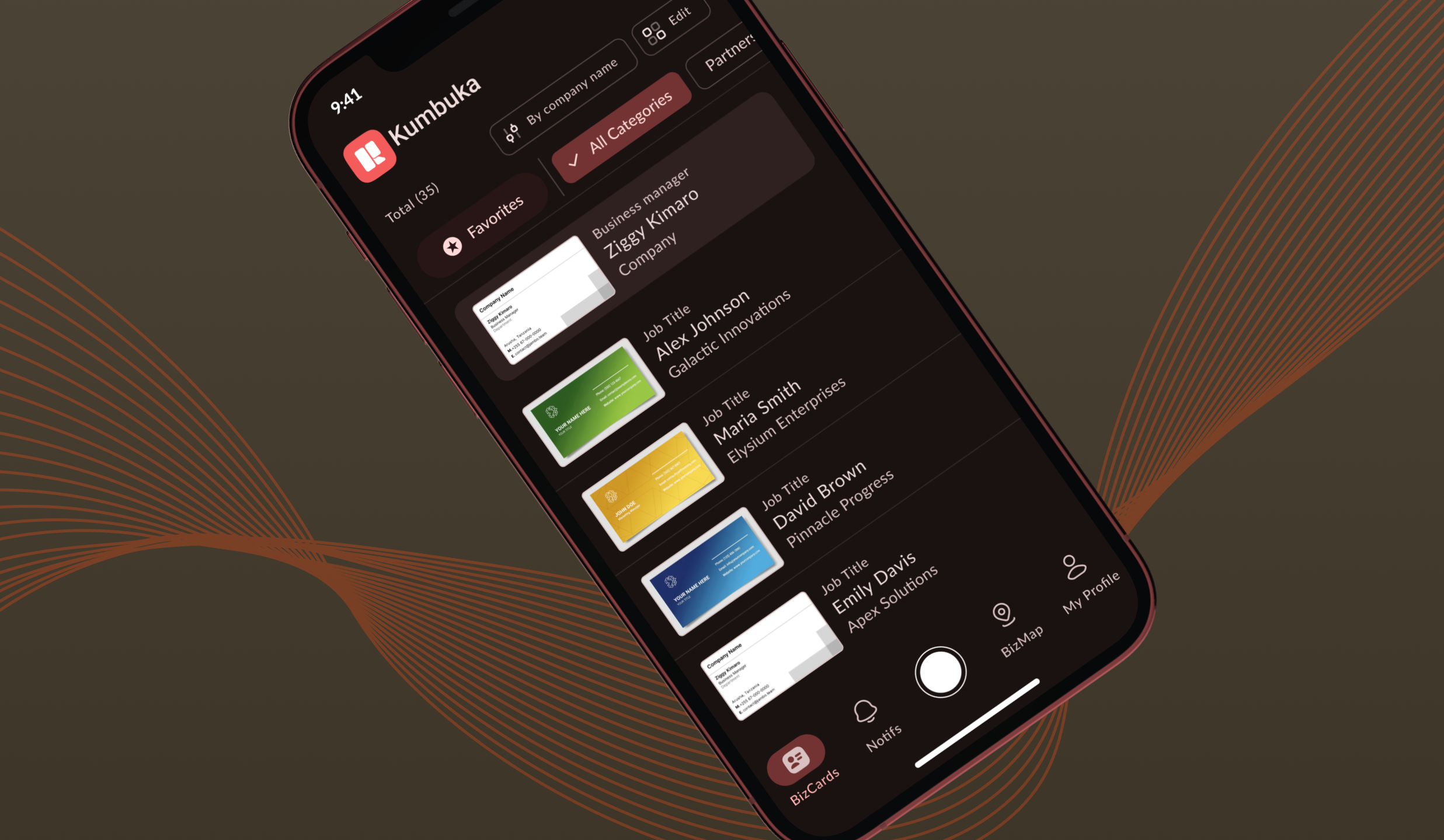
Mobile card library
Search, favorite, categorize, and revisit every card you capture on the go.
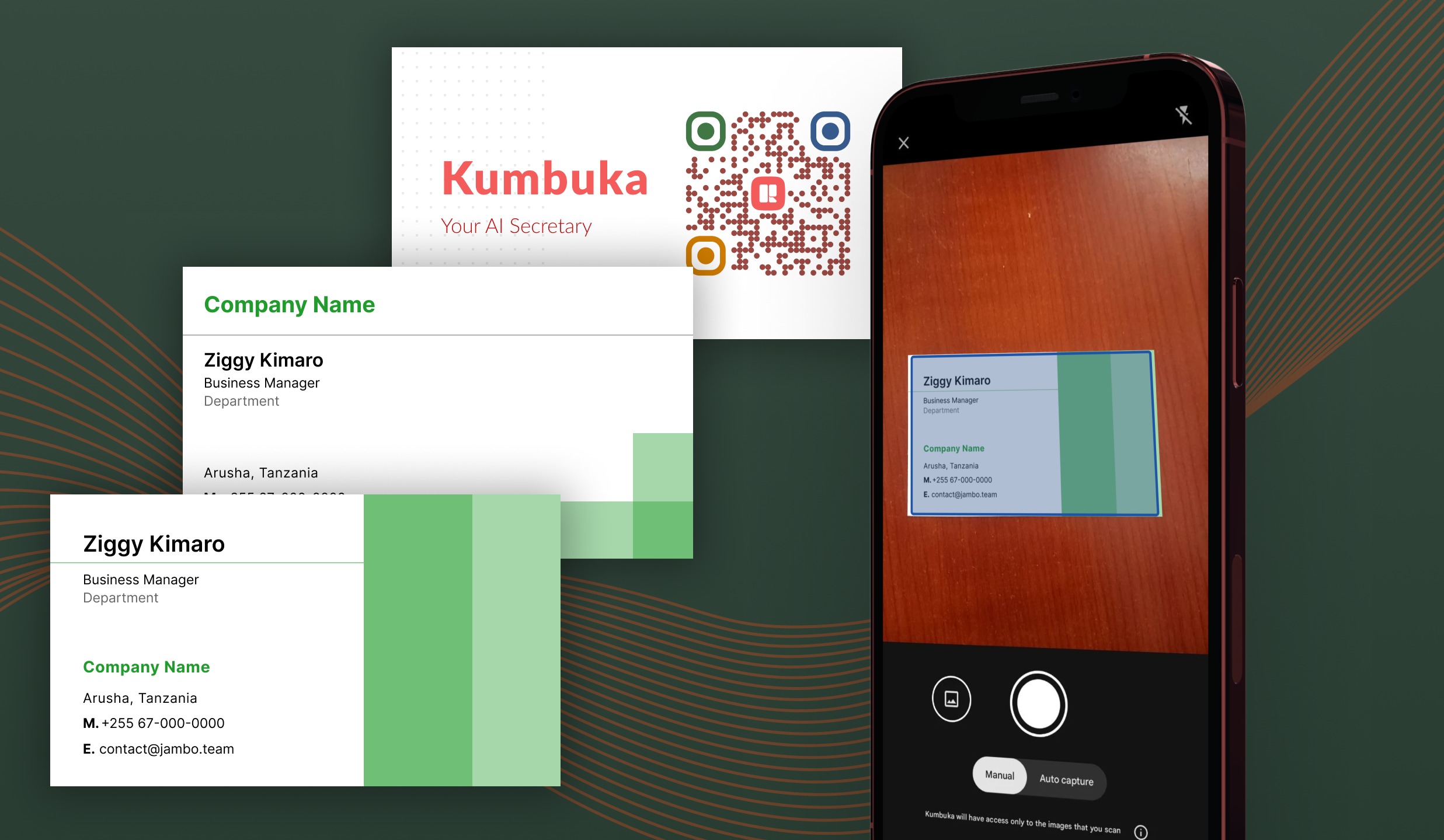
AI card scanning
Capture paper cards quickly and clean up details before they enter your library.
Offline sync state
Keep scanning and editing offline, then sync changes when connection returns.
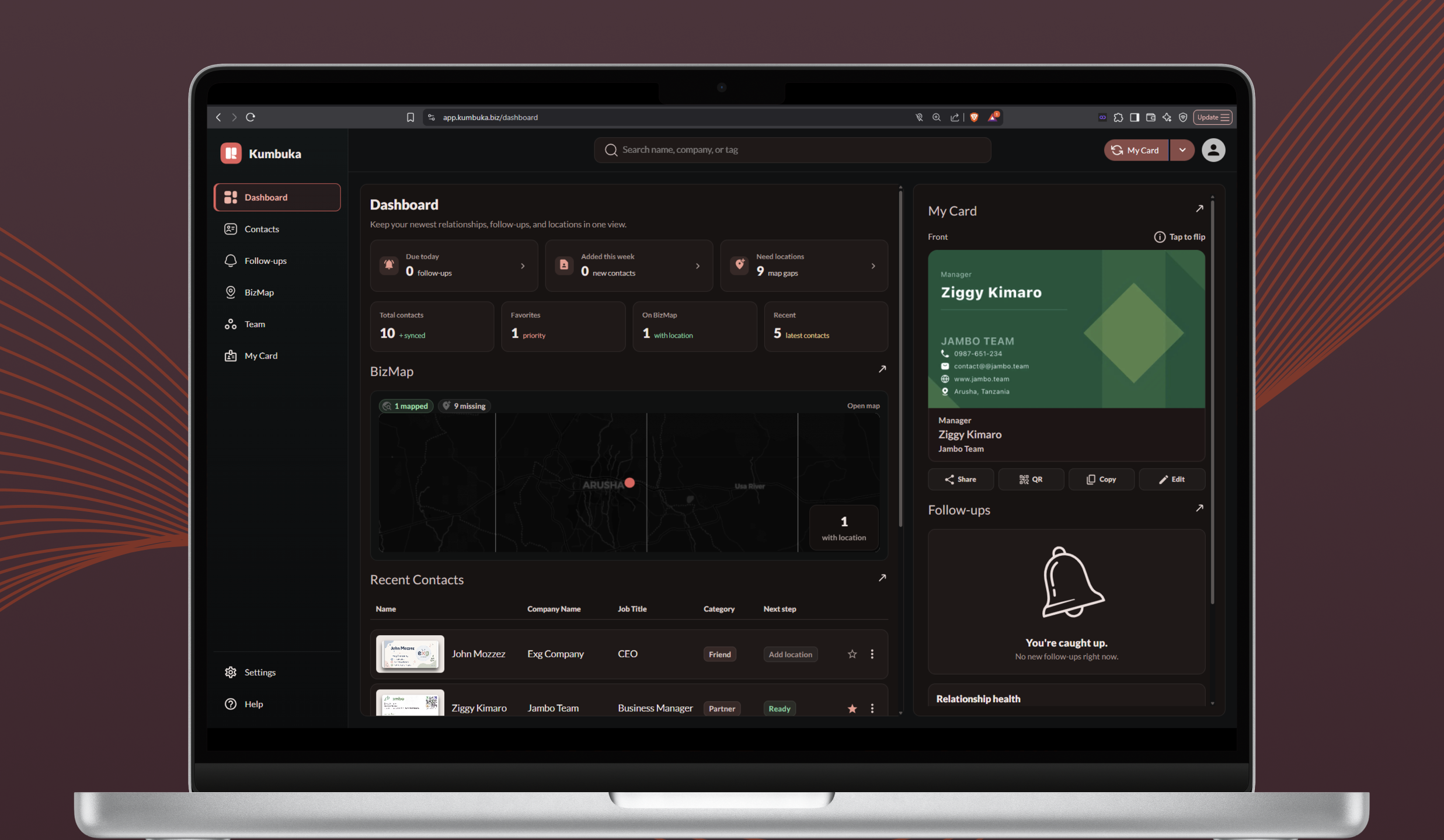
Kumbuka Web dashboard
Manage cards, imports, map readiness, My Card, and sales activity from desktop.
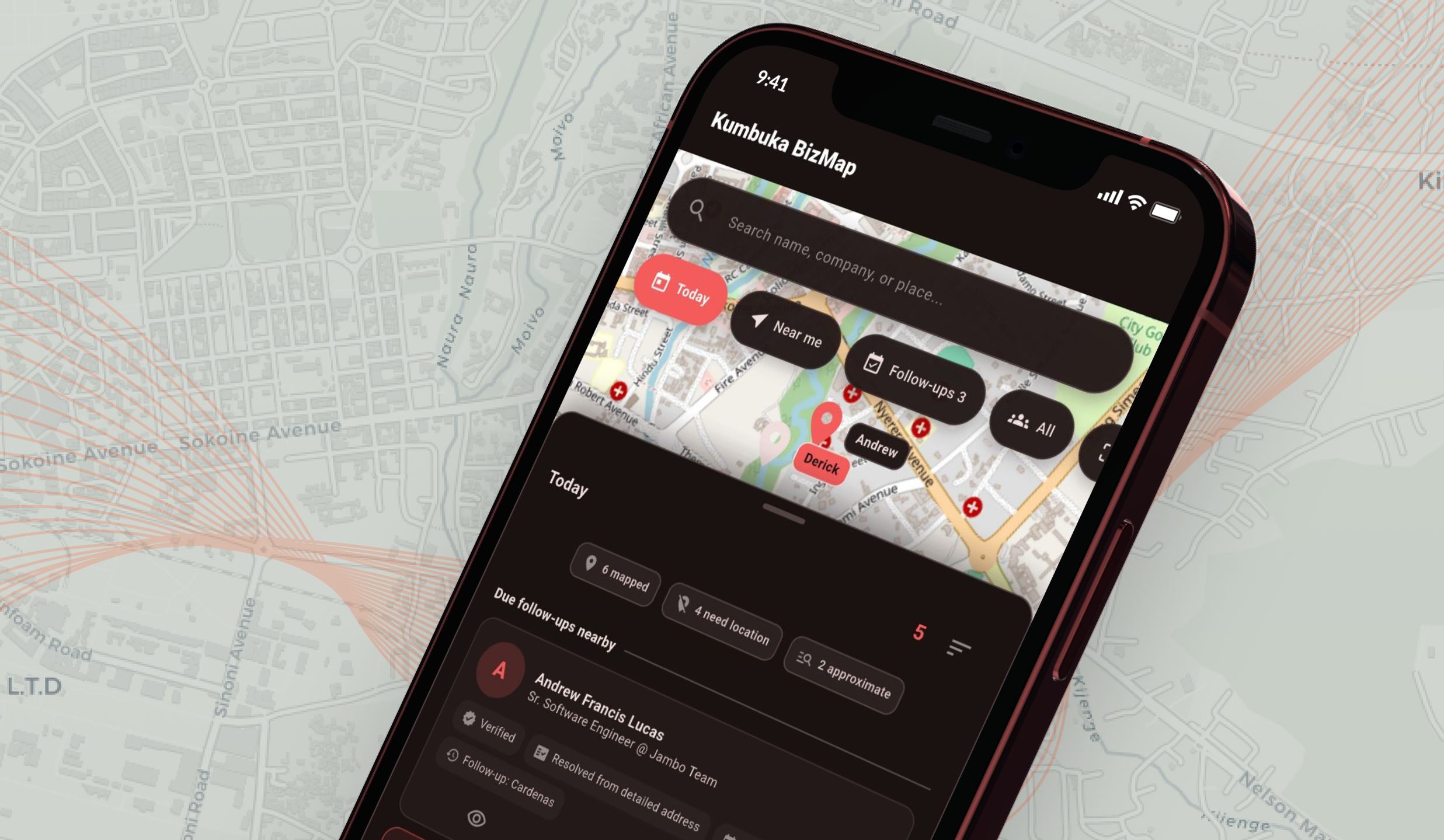
BizMap visit planning
See where contacts are, spot nearby opportunities, and plan better follow-ups.
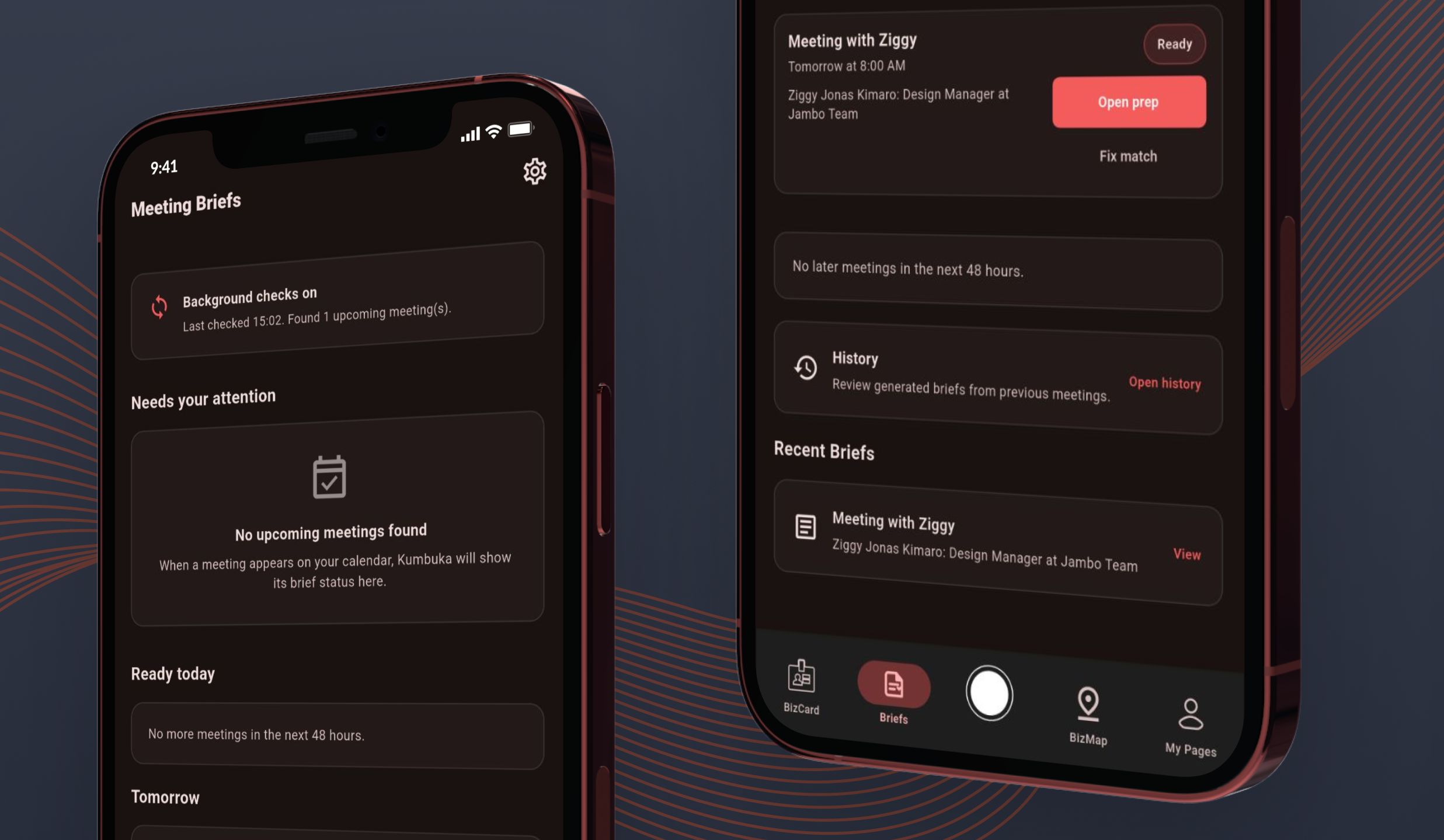
Meeting Briefs
Match calendar meetings to saved contacts and prepare with privacy-aware context.
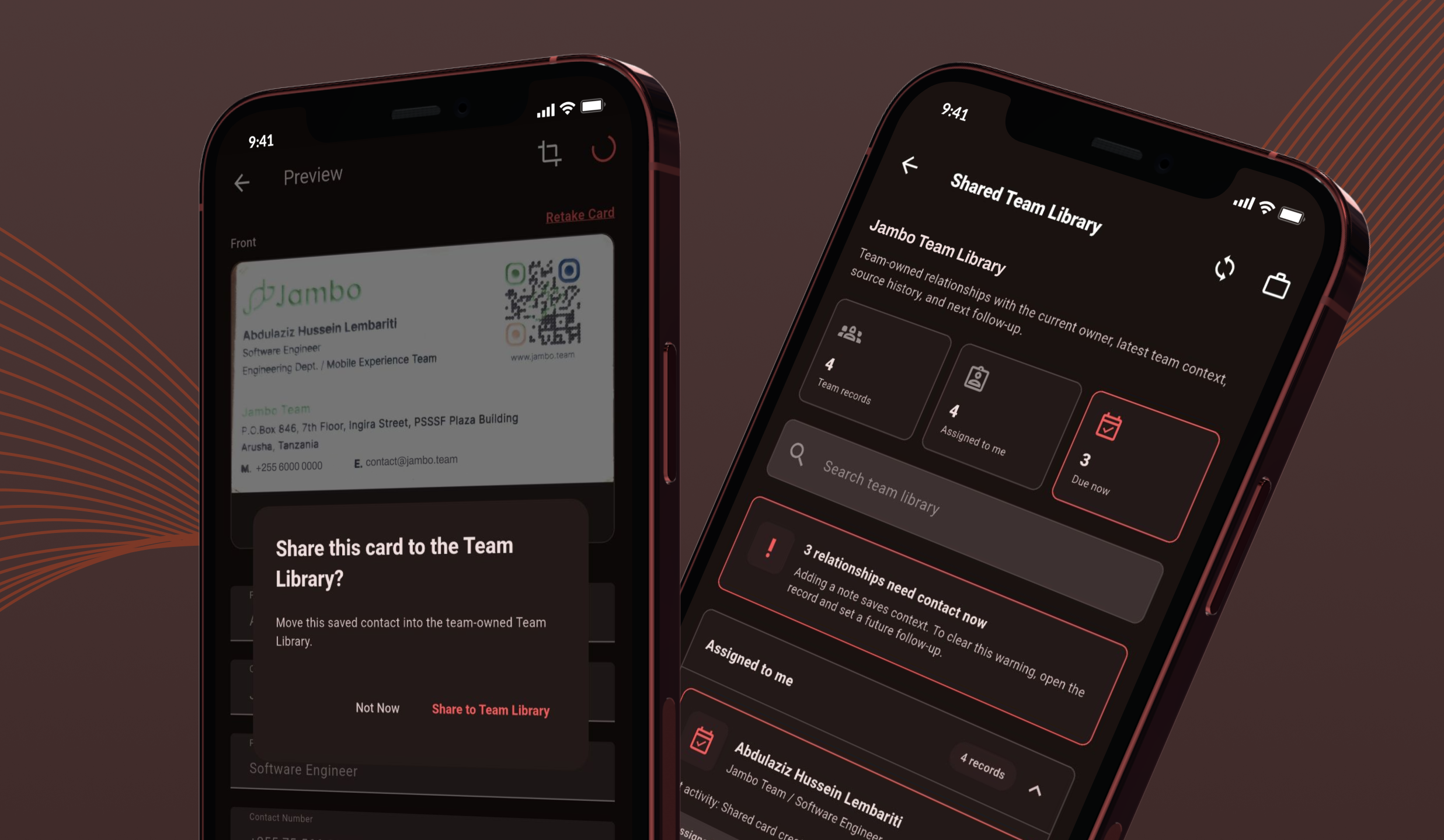
Teams Workspace
Turn personal connections into owned leads, accounts, and team next actions.
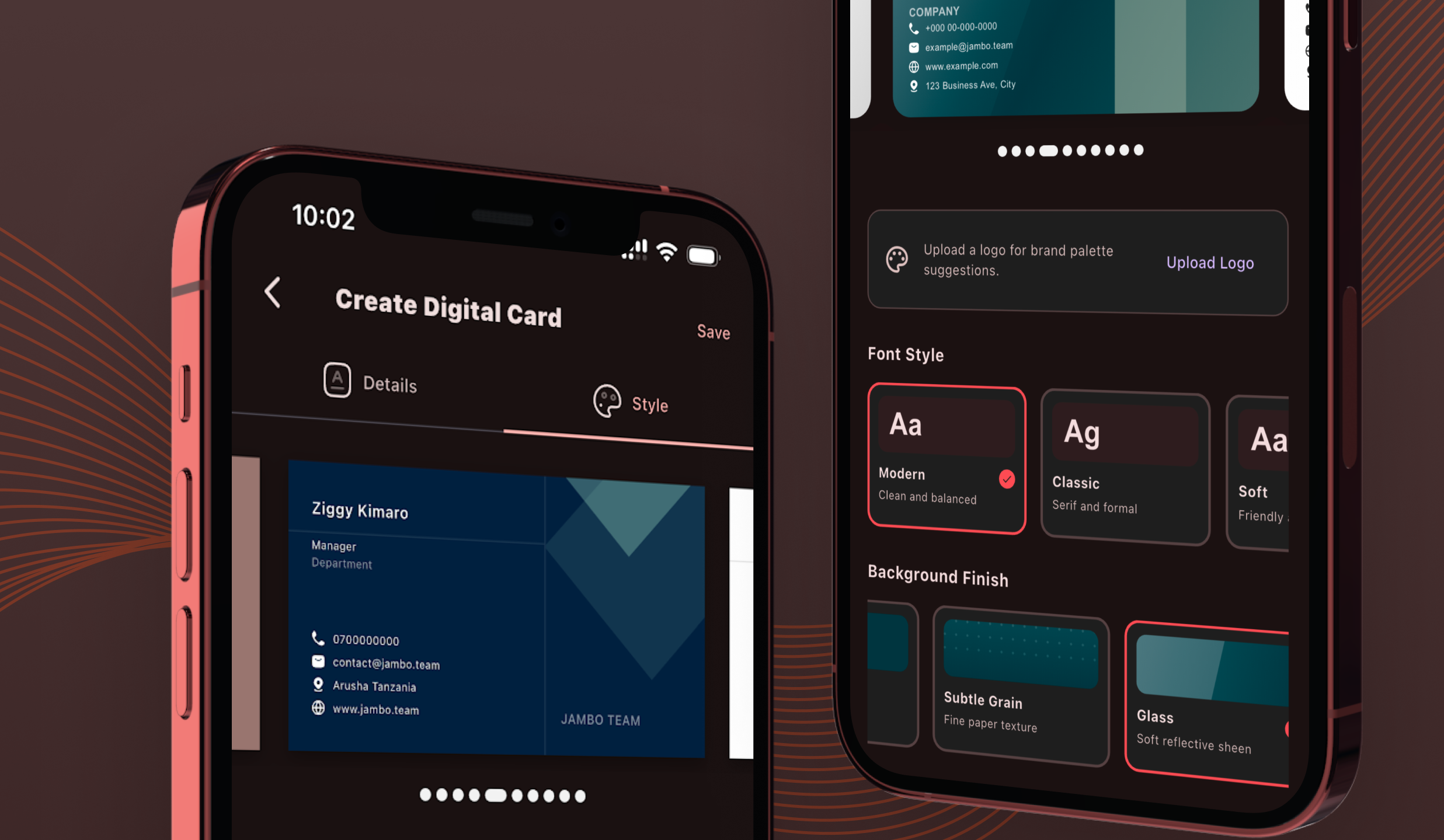
My Card designer
Design a shareable digital card with QR, colors, logo, and export controls.
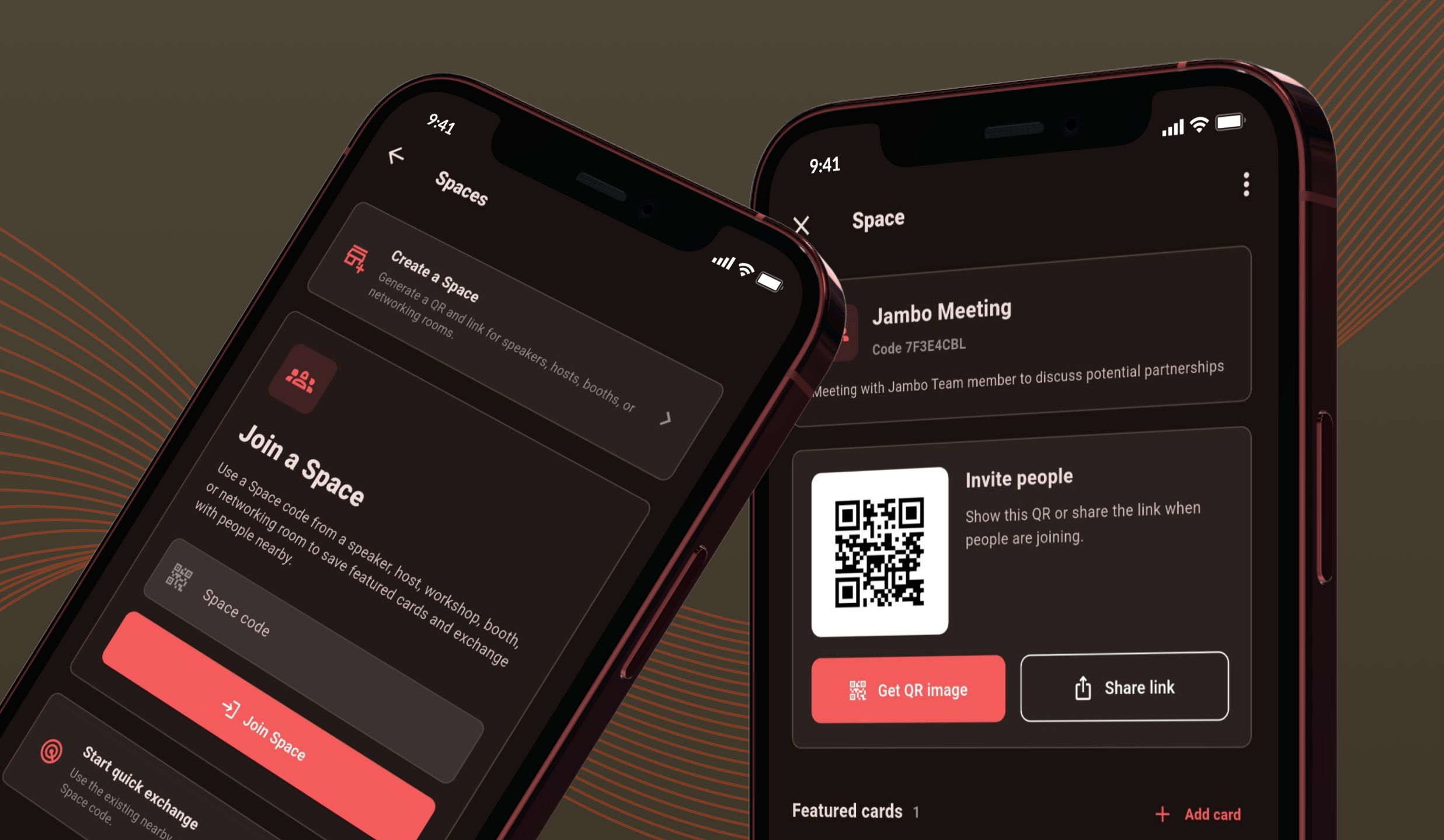
Spaces and Meeting Mode
Exchange cards in rooms or events, then save the right people locally.
Capabilities
Everything behind the simple promise: never lose a connection.
Kumbuka covers the full relationship lifecycle, from capture to memory to collaboration.
Contact intelligence
Search, filter, favorite, categorize, merge duplicates, review OCR quality, and browse company profiles or org graphs.
BizMap
See contacts on a map, find nearby visit candidates, repair missing locations, and plan follow-ups from place context.
Follow-up memory
Create relationship reminders with notes, due dates, notification routing, and completion history.
Spaces and events
Create event spaces, feature cards, join by code, save featured cards locally, and preserve the relationship memory.
Team pipeline
Convert personal contacts into shared contacts, leads, accounts, activities, work items, and exportable CRM records.
Privacy by design
Local matching, PII redaction for AI meeting prep, owner-only notes, and explicit sharing into team records.
Privacy and reliability
Useful AI without giving up relationship trust.
Kumbuka treats contact data as personal relationship memory first. AI is used where it helps, while local matching, explicit sharing, and field-level controls keep sensitive data bounded.
Offline-first local database for captured cards and relationship data.
Calendar attendee matching happens locally before meeting brief generation.
Email, phone, and physical address are stripped from AI meeting brief prompts.
Live-card updates only replace shared fields, not private notes, categories, favorites, or owner metadata.
Team sharing is explicit, with selectable public fields and optional private notes.
For networkers
Leave a room with clean contact data, memory of where you met, and a next step already scheduled.
For sales teams
Turn individual scans into a shared relationship pipeline with owners, accounts, due actions, and export paths.
For event hosts
Spaces and Meeting Mode make group card exchange easier without forcing everyone to type or search.
For founders and operators
Use one profile across app, QR, email signature, HostLink, and public sharing surfaces.
HostLink turns your Kumbuka card into a public profile.
Sync your active Kumbuka card to HostLink, keep card history in step, and give people one profile link that works across QR, email signature, web, and social surfaces.
Build a network you can actually act on.
Kumbuka helps you capture the contact, remember the moment, prepare the next conversation, and share the work when a relationship belongs to a team.
© 2026 Jambo Team. All rights reserved.